

The short version#
LordOS ships four native apps for your personal information: Mail, Calendar, Contacts and Reminders. They are ordinary LordOS apps, drawn by the same engine as the rest of the desktop. What is unusual is where the risky work happens: every network protocol and every parser of data that comes from outside runs in one locked-in helper process, lord-maild, which is not even allowed to open a network connection by itself.
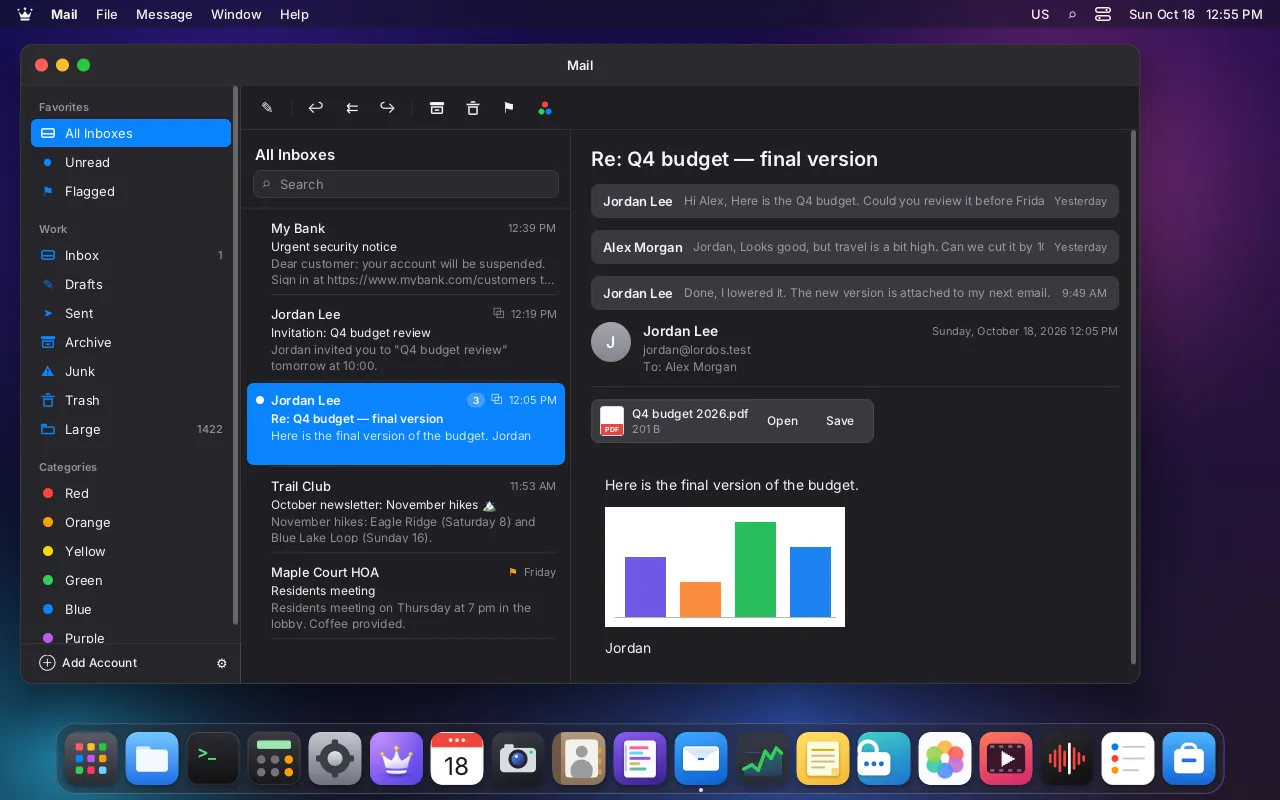
Mail is the most common way to attack a computer. A message is a stranger's document: HTML, images, attachments, invitations. So LordOS treats it like a parcel that is opened in a sealed room. If something in it is malicious and takes over the room, it still can't call out, can't run anything, and can't reach your files.
Who talks to the mail server
- YouMail, Calendar, Contacts, RemindersNative apps; asynchronous requeststhen JSON over a channel
- Ourslord-maildSandboxed: TLS, IMAP, SMTP, DAV, MIME, HTML; no sockets of its ownthen "connect host:port?"
- OursConnector in lord-serverConnects only to servers in your accounts filethen allowed endpoint only
- ReusedYour mail and calendar serversCertificates verified; failures shown
Legend: YouOursReused
What you get#
- Mail: three panes, a unified inbox, conversations, flags and six colour categories that other clients see too, signatures, drafts saved to the server, "send later", attachments opened with your default apps, and notifications for new mail. Compose in rich text, markdown or plain text.
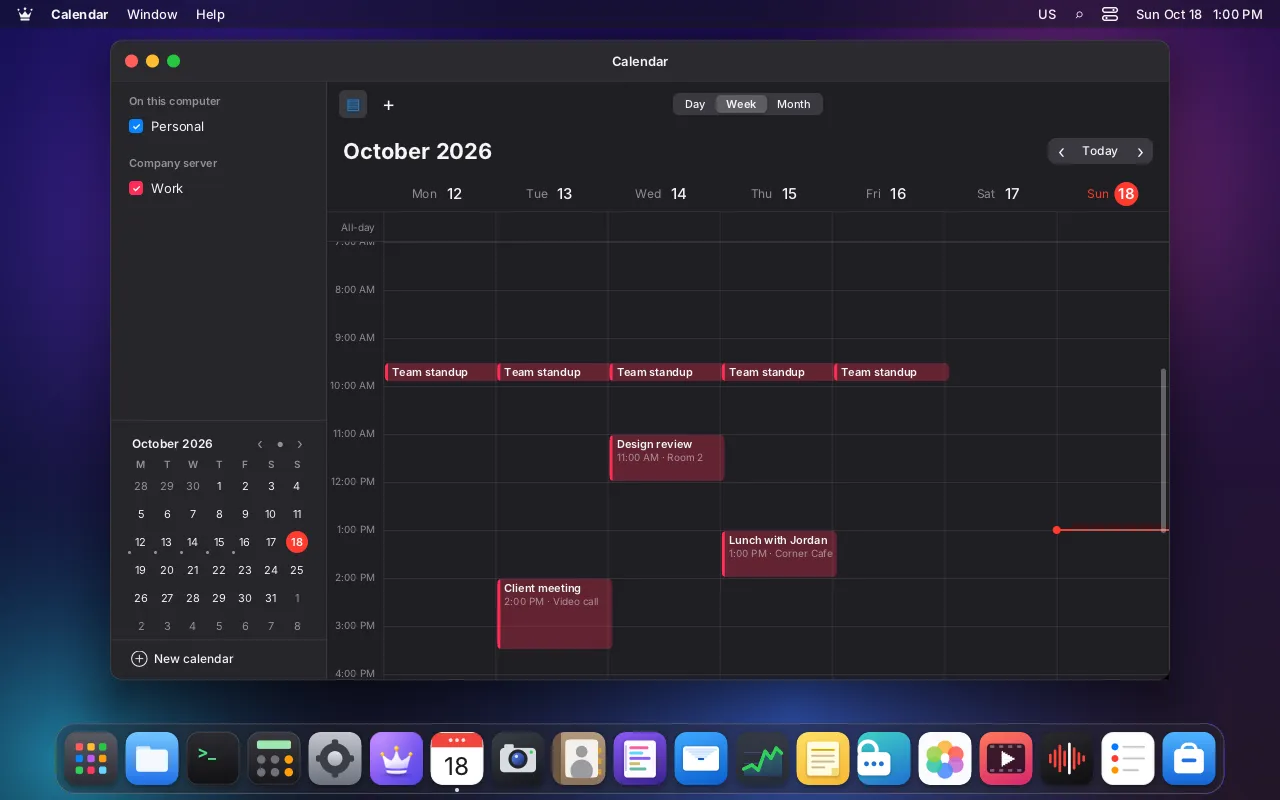
- Calendar: day, week and month views, several calendars with colours, local or synced over CalDAV, repeating events, and alarms.
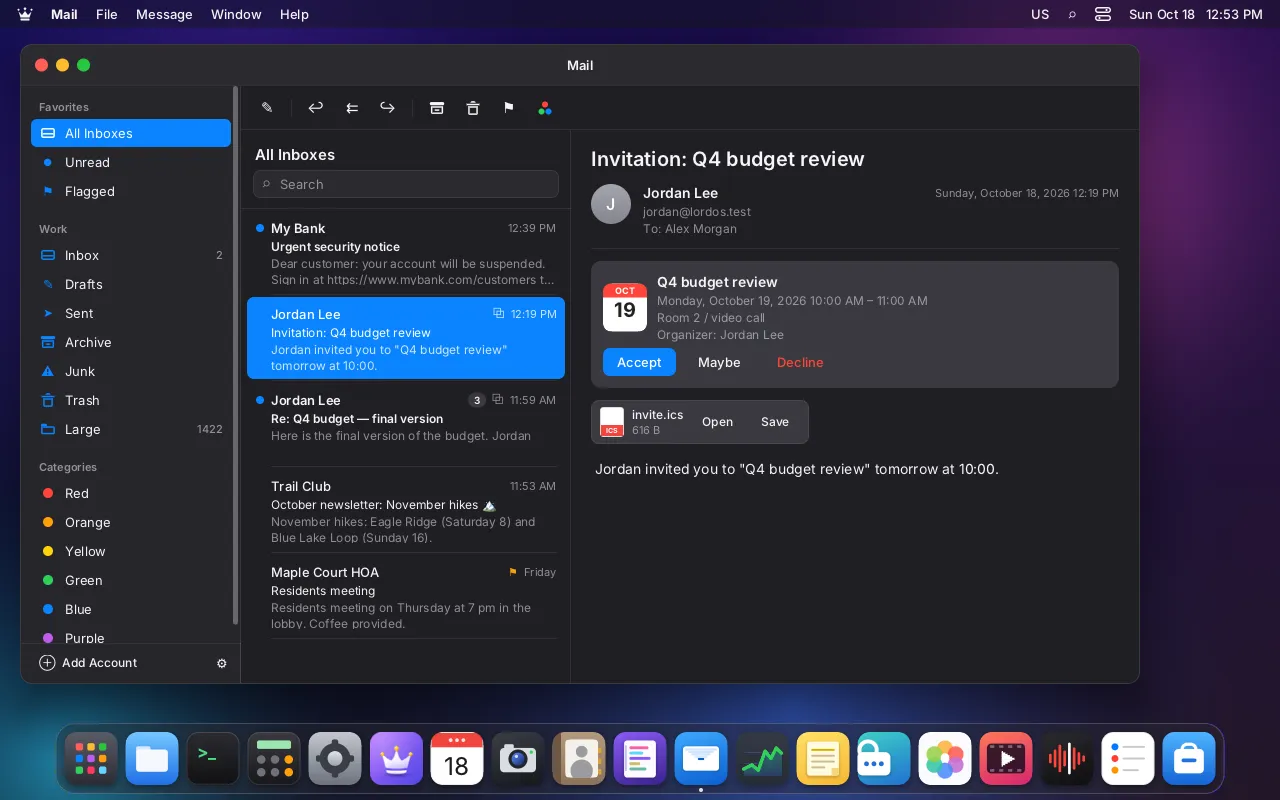
- Invitations that arrive by mail: Accept, Maybe or Decline. The event goes into Calendar and the reply goes to the organizer.
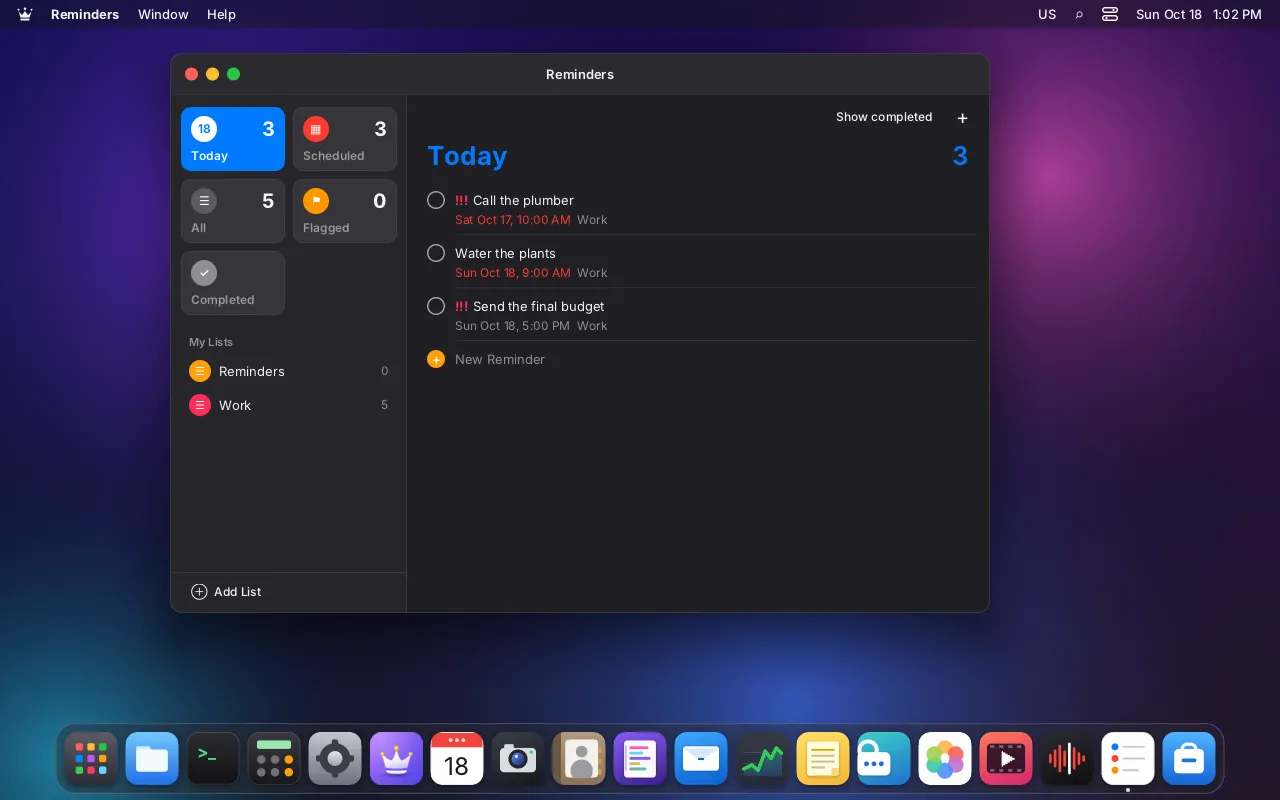
- Reminders: lists, due dates, priorities, flags, and Today / Scheduled / All / Flagged / Completed views, synced over CalDAV.
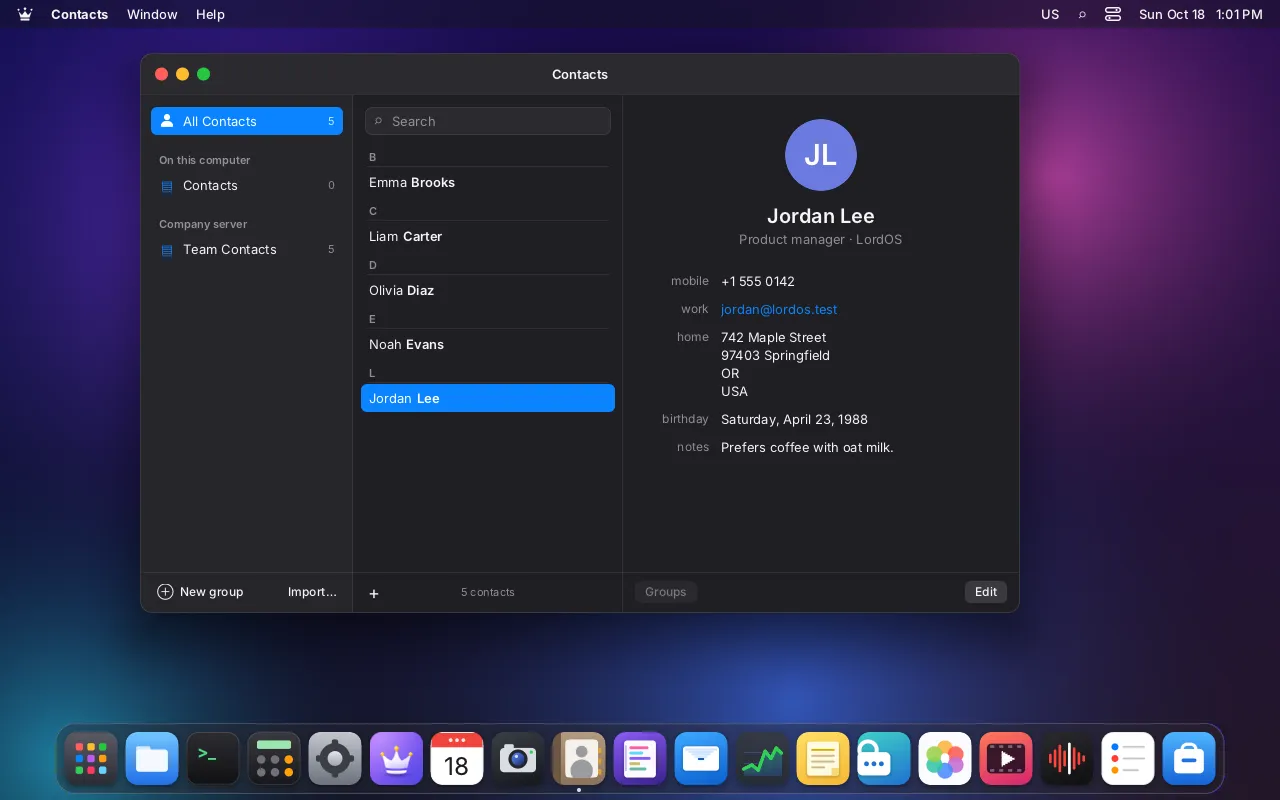
- Contacts: local or synced over CardDAV, groups and photos. Mail autocompletes from them.
- Alarms ring with the apps closed, because the helper keeps running for the session.
- Any IMAP and SMTP account works. For a few widely used providers the server settings are filled in from a built-in table, with nothing looked up online.
How it works#
- The helper starts locked in.
lord-serverlauncheslord-maildfrom a fixed path, with no arguments and a minimal environment. Before reading anything from the network it loads the system's certificate authorities and locks itself in with the same helper sandbox as LordOS's other decoders: write access only to its cache folder, nosocket,connect,bind,execveorfork, threads only, no capabilities, its own cgroup. - It asks for each connection. To reach a server it sends
lord-servera request: host and port.lord-serverchecks that endpoint against your accounts file, and only then connects and passes the connected socket back. Allowed endpoints are exactly your accounts' IMAP, SMTP and calendar/contacts servers, plus other hosts of the same domain on port 443 when a calendar server redirects during discovery. - TLS is checked properly. Every connection is verified against the system's certificate store and the server name. A certificate that doesn't verify is never accepted silently: Mail shows the problem and its fingerprint, and only if you press Trust This Certificate is that exact certificate remembered for that account.
- HTML is translated, not executed. LordOS has no web engine, and Mail doesn't need one. LordOS's own sanitizer turns a message's HTML into a small tree of blocks, tables, text runs, images and links, and Mail draws it with native views. Scripts, styles, frames, forms, SVG, media, event handlers and hidden "preheader" tricks are dropped.
What you see and decide#
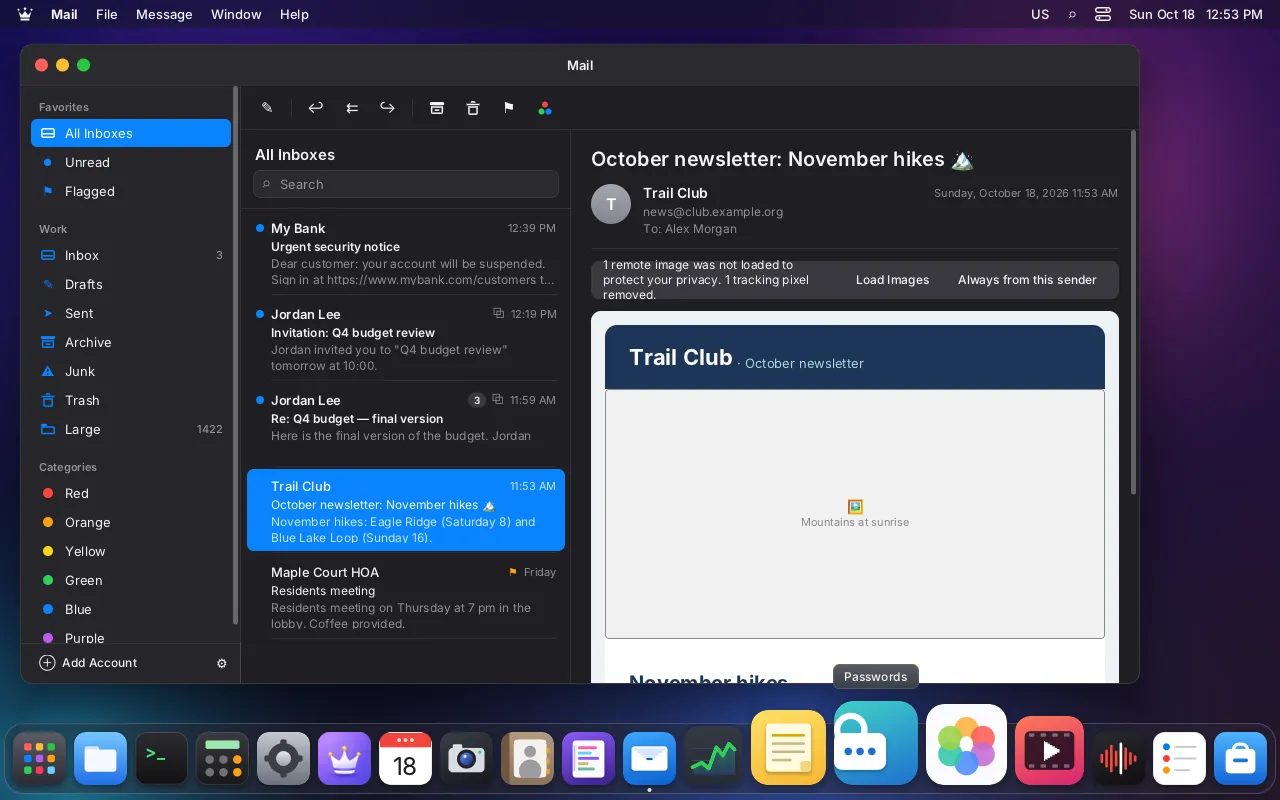
- Remote images are blocked until you press Load Images for that message or Always from this sender. Even then,
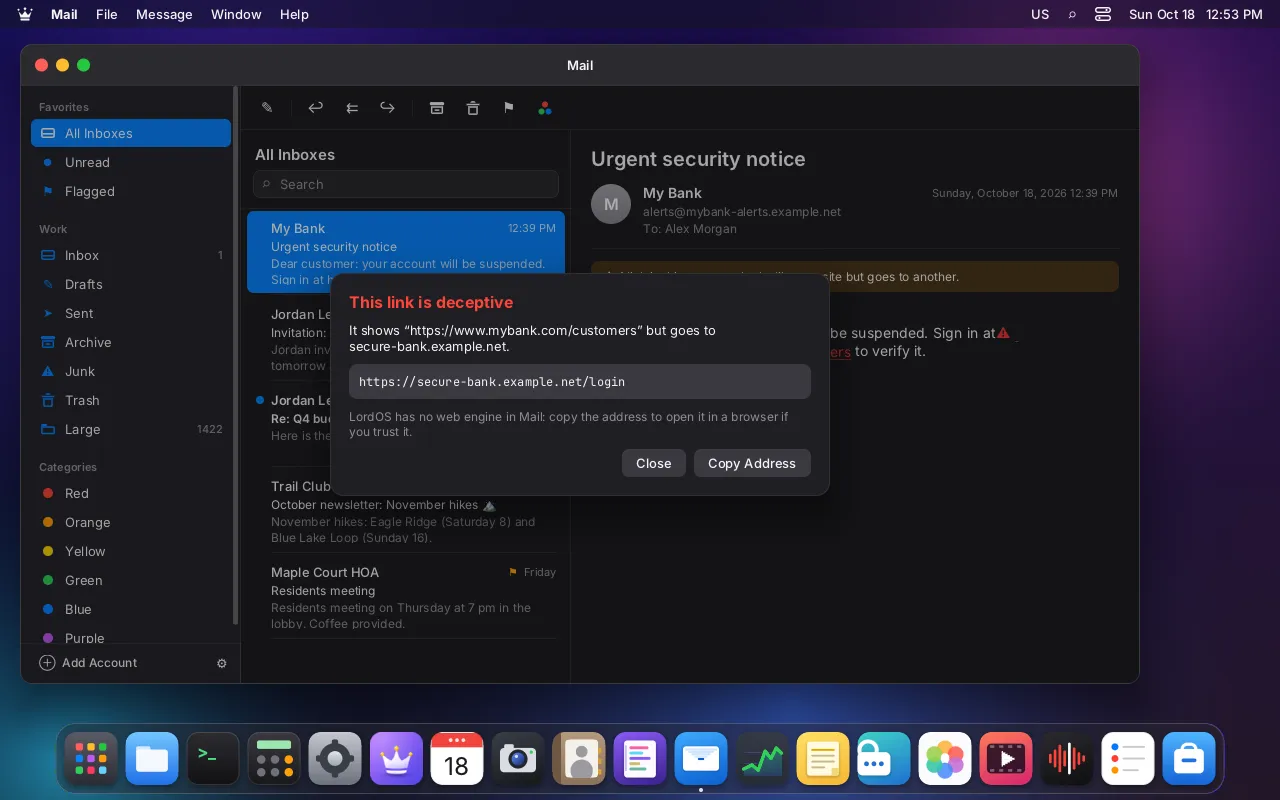
lord-serverallows only those image hosts, on ports 80 and 443, for ten minutes, and refuses any address that isn't public (local network, loopback, cloud metadata and similar), checked on the address it actually connects to. Tracking pixels are counted and never shown. - Deceptive links are flagged in red with a warning when the visible text looks like an address but points somewhere else, or uses tricks like an IP address,
user@or look-alike characters. Clicking shows the real destination. Mail never opens a browser by itself; you can copy the address. - Passwords never touch a file. Mail stores account passwords in the system keyring (see Passwords) and hands them to
lord-maildin memory only. The accounts file holds servers, user names, signatures and trusted certificate fingerprints, and the code refuses to write a password into it.
The skeptical reader's questions#
What if a message exploits a bug in the parser? That is what the design assumes will eventually happen. The parser runs in lord-maild, which can't create sockets, can't run programs and can only write to its own cache. The parsers are tested heavily: 30,953 checks in mail-test, including mutation fuzzing of MIME, charsets, the HTML sanitizer, iCalendar, vCard and XML, plus separate suites for the network layer and the connector.
Could a hijacked helper talk to my local network? Only to the servers in your accounts file. Image grants are limited to public addresses, and the check runs on the address actually connected, so a DNS trick can't redirect it to your router.
Does the desktop freeze while mail syncs? No. Requests are asynchronous; inside the helper, network work runs on one thread per account. Measured on a test VM: a 10,000-message folder syncs in about 2 s and opens from the local cache in about 20 ms.
Is OAuth sign-in supported? It is prepared but disabled. Large providers only issue sign-in tokens to applications registered with them, so it needs a registered client ID. Until then, those accounts use app passwords.
Honest limits#
- No real provider accounts have been tested. The test VM used local IMAP, SMTP and CalDAV/CardDAV servers with a test certificate authority. The built-in provider settings come from the providers' published values.
- Not yet: editing a single occurrence of a repeating event, creating calendars or address books on the server, multibyte CJK charsets, encrypted or signed mail (S/MIME and OpenPGP), and IMAP QRESYNC.
- OAuth sign-in is disabled until a client ID is registered.