

The short version#
An installable LordOS app (a .lpk package) doesn't get the keys to your house. It runs in a room of its own, with the door locked from the outside. When it needs something, it asks the system through a single hatch, the broker. The system checks what you decided, and if you haven't decided yet, it asks you with a prompt that the system draws, not the app.
Three ideas do most of the work:
- Isolation. Each
.lpkapp is its own process, locked in with Linux kernel features before any of its code runs. - Mediation. Everything that touches your things (files, camera, microphone, clipboard, passwords) goes through the broker in
lord-server, which checks the permission on every request. - Your decision, stored where the app can't reach it. Decisions live in
~/.config/lordos/permisos.json, which isolated apps cannot see or write.
How a permission request travels
- YouIsolated appAsks through the broker socketthen request
- OursBroker in lord-serverLooks up the stored decision (perms.c)then state is Ask
- OursSystem promptOnly if not decided yet; drawn by the sessionthen shown
- YouYou decideAllow or Don't Allow, saved in permisos.jsonthen answer
- KernelEnforcedBroker checks every call; sandbox and kernel block the restthen later
- AllowedRevocableSettings → Privacy; camera and microphone stop at once
Legend: YouOursKernelAllowed
Which apps are isolated, exactly?#
This is the first question a careful reader should ask, so here is the precise answer:
| Kind of app | Own process | Sandbox (Landlock + seccomp) | Per-app cgroup | Broker and permissions | Per-app firewall |
|---|---|---|---|---|---|
Installed .lpk apps | yes | yes | yes, with memory and CPU limits | yes | yes |
| Passwords (the only built-in app in its own process today) | yes | yes | yes | yes | yes |
| Other built-in apps (Files, Settings, Mail, Terminal…) | no, they run inside lord-server | no | no (they count as "LordOS") | their camera, microphone and screen use is checked in C | yes, as "LordOS" |
| Linux apps opened from the app launcher (apt, the Store) | yes, a normal process | no by default; with "no access to your files", their own namespaces and Landlock | yes, app-lordos-<id>.scope, no limits | no | yes, plus the restrictions you set (camera, microphone, USB, Bluetooth, files, notifications) |
| Programs started from the Terminal | yes | no | they share the Terminal's place in the tree | no | as "LordOS" |
So: Linux apps are not sandboxed by default. They run as your user, exactly as on any Debian system, and can read your home folder. What LordOS adds for them is attribution (the Monitor knows which app made each connection), the kernel-enforced per-app firewall, and the restrictions you choose for an app: no camera, no microphone, no USB, no Bluetooth sockets, no notifications, and "no access to your files", which from its next launch starts the app in its own namespaces with an empty home folder holding only its own folders. Flatpak is not used or integrated by LordOS, and it hasn't been tested.
Built-in apps are part of the system's own code, reviewed with it; they don't get the per-process isolation that third-party packages get, with Passwords as the exception because it holds your secrets.
How the sandbox works#
The sandbox is LordOS's own code (server/src/sec/sandbox.c), not bubblewrap, Flatpak or firejail. It uses kernel features directly, and it is applied after the app connects to the compositor and to the broker, and before any line of the app's code is loaded.
The walls around an installed app
- YouThe app's codeLoaded only after the walls are up
- KernelLandlockFiles: its package read-only, its own data folder read-write, nothing else of your home
- Kernelseccomp-bpfAn allow list of system calls; no exec, ptrace, mount or new sockets
- KernelNo privilegesno_new_privs, every capability dropped
- Kernelcgroup v2 scopeRoot-owned; 512 MB and one core at most; the firewall knows the app by it
Legend: YouKernel
- Landlock limits the files the process can touch: read-only access to its own package, the shared app runtime, fonts and libraries; read and write access only to
~/.local/share/lordos/appdata/<id>. Nothing else from your home folder, and no/dev. - seccomp-bpf is an allow list of system calls, applied to every thread. Calls like
ptrace,mount,bpf,execve,keyctland module loading are simply not on it. The app can't open new Unix sockets either, so it can't reach the session bus, the printing service or the Wayland socket on its own. - No privileges.
no_new_privsis set and every capability is dropped. - A cgroup of its own,
app-lordos-lpk-<id>.scope, with a soft memory limit of 192 MB, a hard one of 512 MB and at most one CPU core. The scope is created and owned by root (lord-sessiond), so the app can't move itself elsewhere. - Network only with permission. Without the
networkpermission, seccomp refuses to create internet sockets and Landlock refuses TCP connect and bind. With it (declared in the manifest and allowed by you), they are allowed, and the per-app firewall still applies.
Are namespaces used? Not for .lpk apps. lord-server runs without root, and creating a network namespace needs privileges it doesn't have. The design uses Landlock, seccomp and cgroups instead, and leaves the app in the machine's network namespace under the rules above. The one place LordOS uses namespaces is a Linux app restricted with "no access to your files": it starts in its own unprivileged user, mount and PID namespaces, built by LordOS's own code in the launcher, so it can't reach the session's sockets.
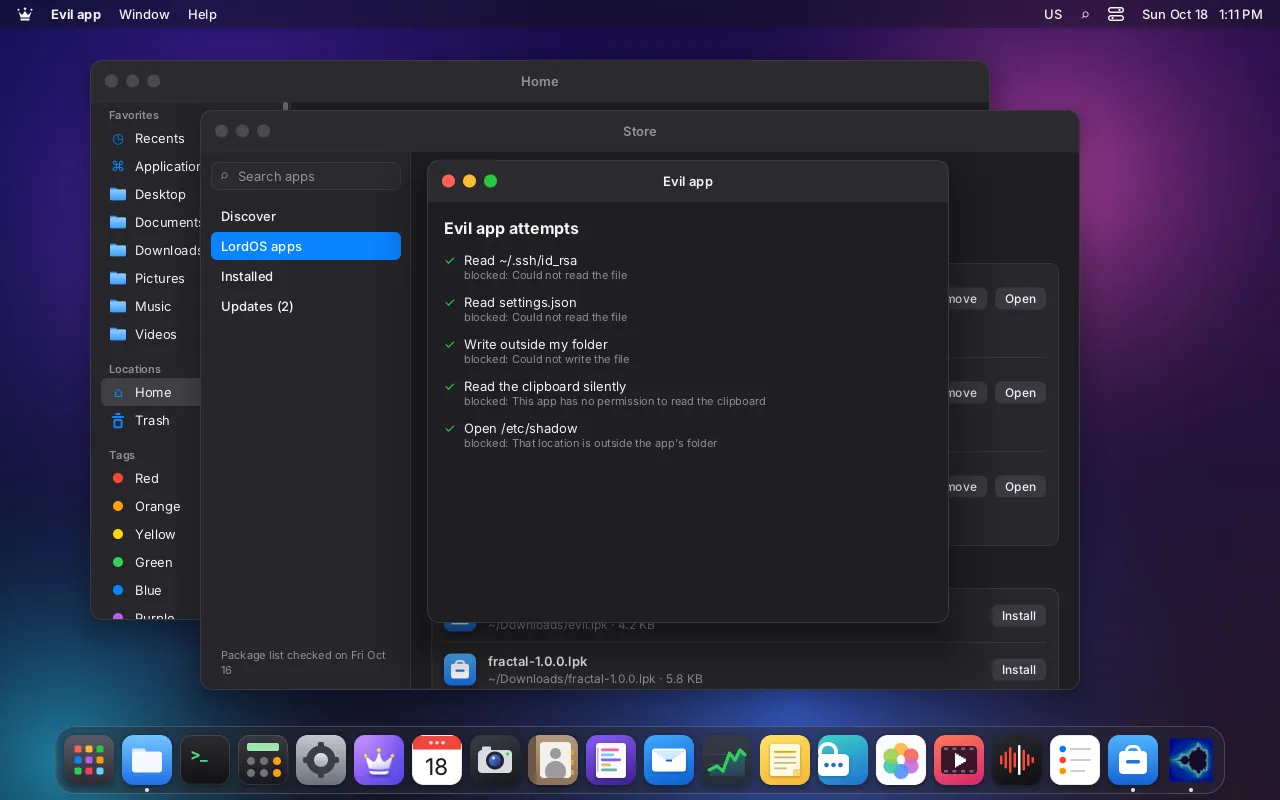
The project keeps a deliberately malicious test app (tests/lpk-evil). It declares no permissions and tries everything at start: reading ~/.ssh/id_rsa and settings.json, writing outside its folder, reading the clipboard silently, opening /etc/shadow, opening a socket, running /bin/sh, ptrace, opening the graphics card. Every attempt is blocked. The sandbox test suite passes 14 of 14 checks for apps, 14 of 14 with network and 17 of 17 for helpers.
What you see and decide#
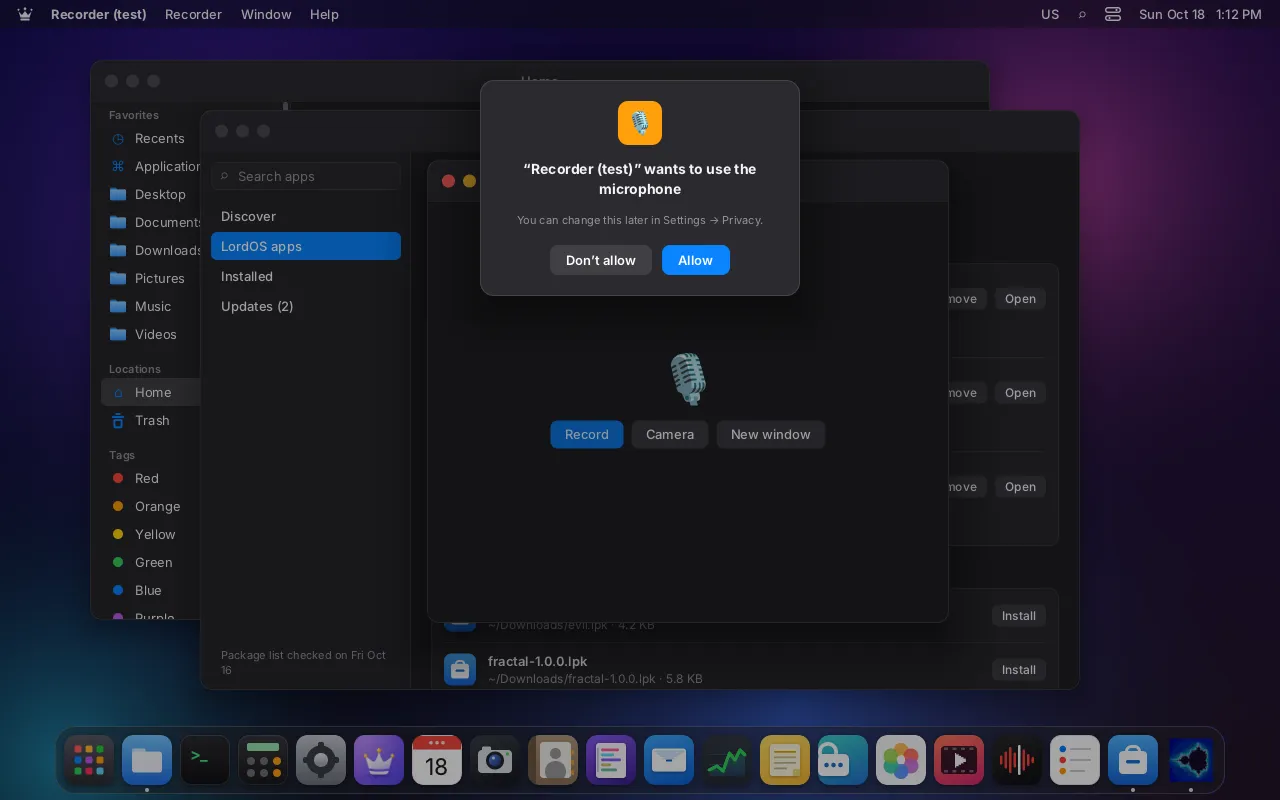
- The prompt. The first time an app asks for something, the system shows: "App" wants to use the microphone — Allow / Don't Allow. The answer is saved for that app.
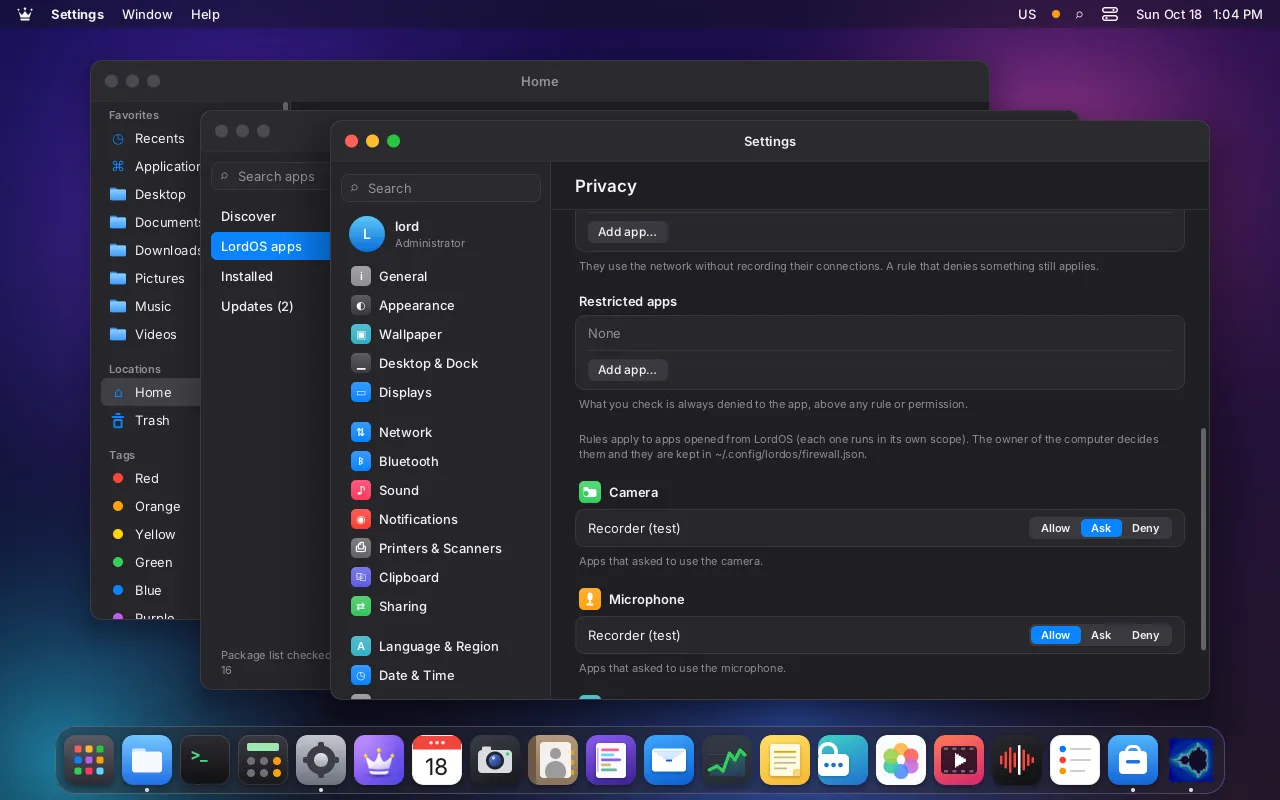
- Settings → Privacy lists each permission with the apps that asked for it and an Allow / Ask / Deny control.
- Indicators. A green dot in the menu bar while the camera is in use, an orange one for the microphone. Tapping it shows which app.
Permissions an app can declare: files, clipboard, notifications, network, camera, microphone, screen, listen, USB, Bluetooth and apps. An app can't get a permission it didn't declare.
The skeptical reader's questions#
Can the prompt be bypassed? Not by the isolated app. The prompt is drawn by the session, outside the app's window. The answer reaches lord-server directly, and the broker reads the stored decision in C on every request. The decisions file is outside what Landlock lets the app see, and lord.fs refuses to write it. An app could draw a fake dialog inside its own window, but clicking it changes nothing. The honest gap: a Linux app, which isn't sandboxed by default and runs as you, could edit permisos.json like any other file in your home, unless it is restricted with "no access to your files".
Do I get "Allow once" or "Allow always"? Today the prompt offers Allow and Don't Allow, and the decision is remembered until you change it in Settings. There is no "allow once" for app permissions yet.
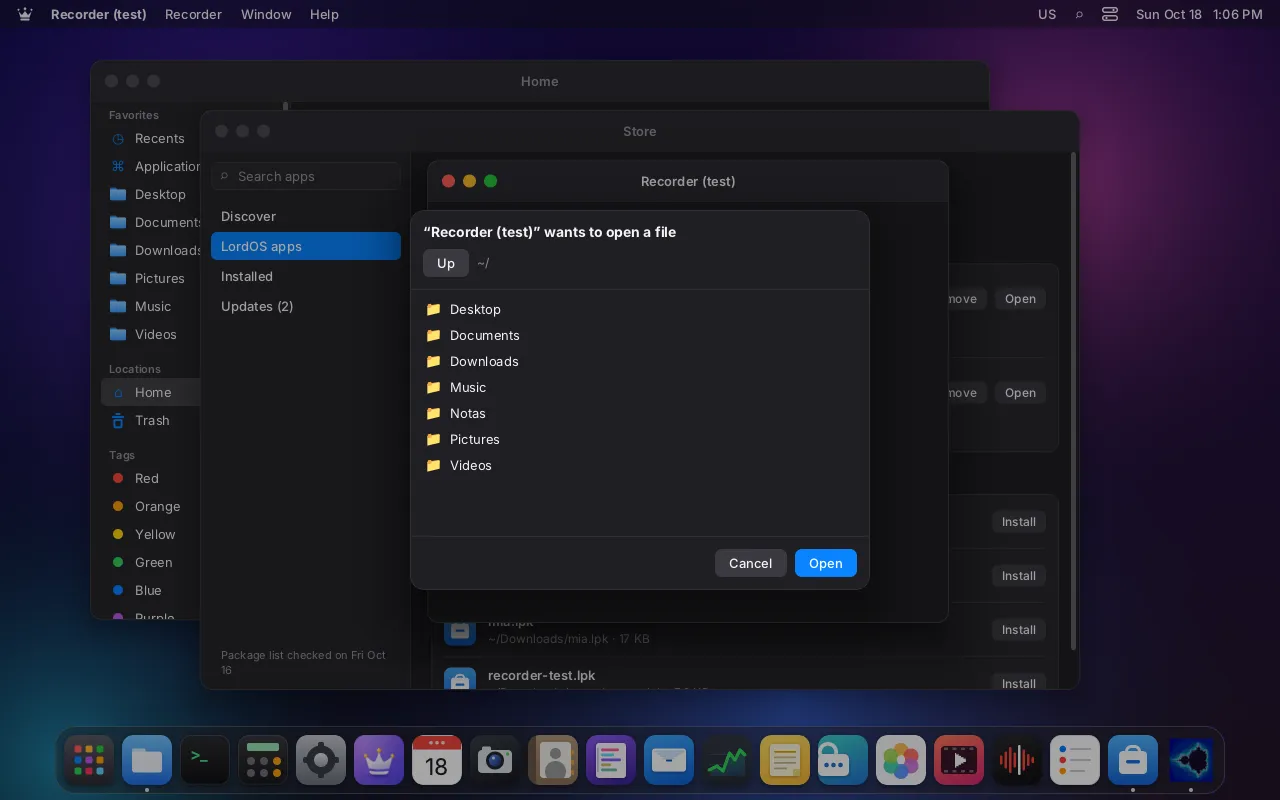
Does an app get only the file I choose? Yes. To open or save, an isolated app calls the system file dialog. lord-server draws it (the "powerbox"), opens the file you picked with your permissions and passes the app only that file descriptor. The app never sees the folder or the rest of the disk. No extra permission is needed, because picking the file is the consent.
How are the camera and the microphone mediated? The app never opens the device.
- Microphone:
lord-serveropens the PipeWire capture stream and writes the audio into a shared ring; the app gets a read-only copy of it. - Camera:
lord-serveropens/dev/videoNand hands it only to the sandboxed media helper,lord-media, which decodes frames into a sealed shared ring. The app gets a read-only mapping and must acknowledge each frame;lord-servervalidates every acknowledgement (generation, slot, rate). Photos and videos go to a file you choose in the system's save dialog.
The camera without handing over the camera
- Kernel/dev/videoNOpened by lord-server after consentthen device fd
- Ourslord-mediaSandboxed decoder; frames into a sealed ringthen frame ring
- Ourslord-serverValidates every acknowledgementthen read-only reopen
- YouIsolated appRead-only view of the frames
Legend: KernelOursYou
Can permissions be revoked while the app runs? Yes, for the camera and the microphone: setting either to Ask or Deny in Settings stops it at once. For the camera, lord-server kills the app's lord-media process (tested: gone within 0.5 s); for the microphone, it closes the PipeWire stream. Checks like the clipboard apply on the next request. The network permission is decided when the app starts, so a change applies at the next launch; to cut a running app off the network immediately, use the firewall switch in the Monitor.
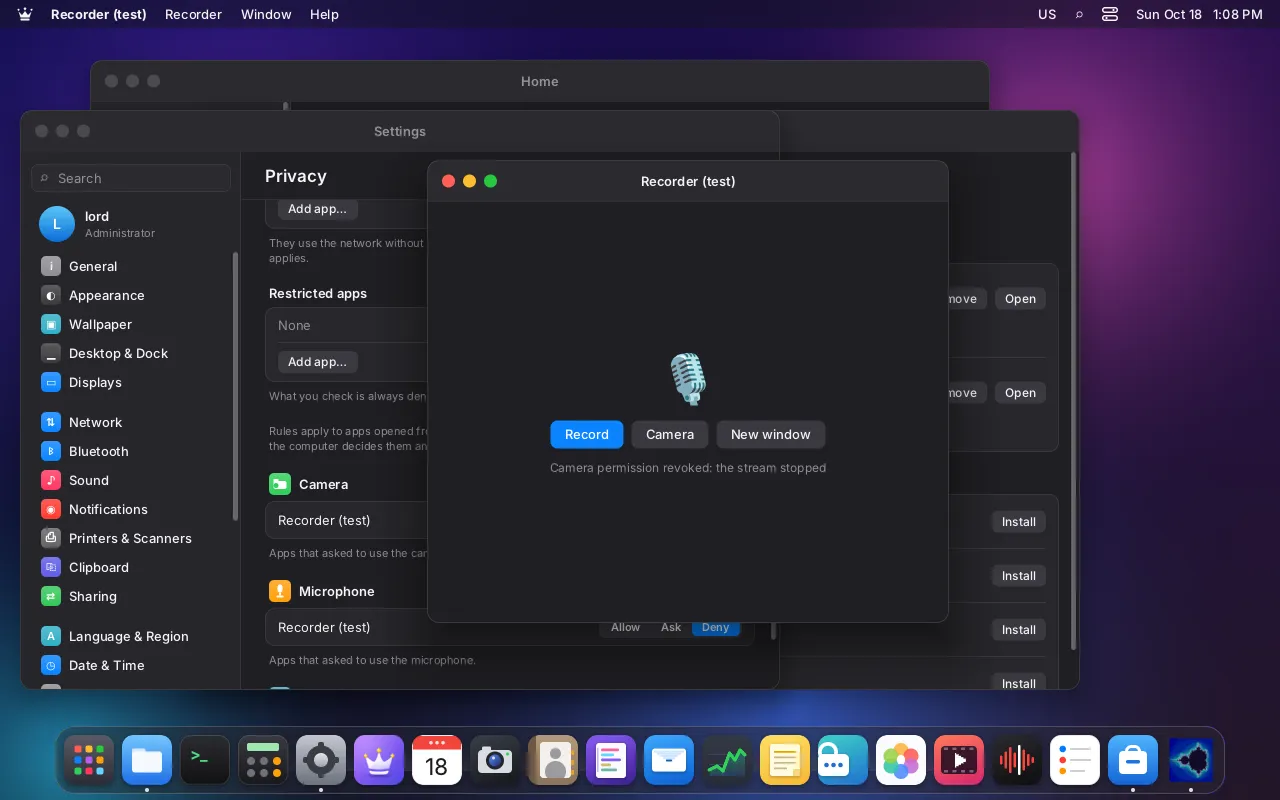
Can I make sure an app never gets the camera, whatever it asks? Yes: restrict it in Settings → Privacy → App network access. A firewall restriction beats any permission: the app is refused without a prompt even if you allowed it before, and restricting a running app takes its camera and microphone away at once. For isolated apps the broker enforces all eight restrictions (camera, microphone, screen, USB, files, clipboard, Bluetooth, notifications).
What about apps that need more privileges? There is no way for a .lpk app to get root or extra capabilities. Everything in LordOS that needs root goes through a closed list of validated actions (server/src/admin.c), and JavaScript can't run arbitrary commands. Linux apps behave as on any Debian system: if a program needs sudo, you run it yourself in the Terminal.
The helpers that read untrusted data#
Files from outside are the classic way in. LordOS opens them in small separate processes that are locked in even harder than apps: lord-doc (PDFs, archives, fonts), lord-media (video, music, photos, camera), lord-maild (mail, calendars, contacts) and lord-vault (passwords). They have no network, can't create sockets, can't run programs and can only create threads, not processes. They don't open paths: lord-server opens files and passes them as file descriptors. If seccomp can't be applied, the helper exits rather than run unconfined. A malicious PDF can crash lord-doc, but not the desktop.
Protected windows#
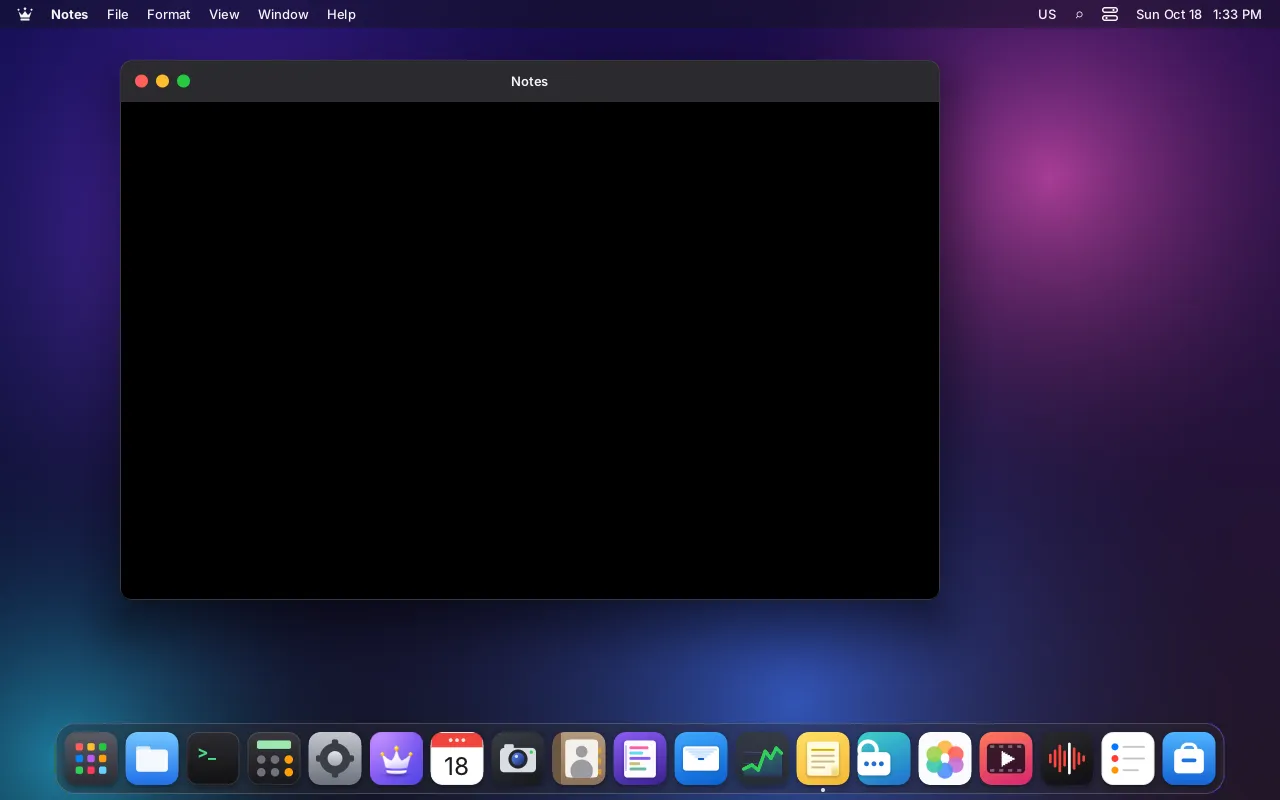
A window can be marked protected. Passwords is. Its pixels come out black in LordOS screenshots, screen recordings, thumbnails and the remote desktop, while the real monitor shows it normally. Linux apps can't capture the screen through LordOS: the compositor doesn't offer any screen-capture protocol to them, there is no X server, and a restricted app is also denied the framebuffer device.
Honest limits#
- Linux apps are not sandboxed by default. Network rules, attribution and the restrictions you set apply to them; the restrictions don't cover the clipboard, Bluetooth through BlueZ on the system bus, the system bus in general, or programs started outside the app launcher.
- Camera and microphone use by Linux apps is not shown in the indicators yet. The Monitor's device list is planned.
- The broker doesn't cover everything yet. Permissions like Bluetooth or launching other apps can be declared, but there is no broker call for them, so an isolated app simply can't do those things.
- A missing kernel feature weakens the app sandbox quietly. If Landlock or a cgroup controller is missing, apps still start, with a warning in the log. Helpers, by contrast, refuse to run without seccomp.