

The short version#
LordOS is a GNU/Linux distribution based on Debian 13. What makes it different is the desktop: instead of shipping GNOME or KDE, LordOS has a desktop environment of its own, built from its fundamental components on top of Debian and Wayland.
Think of a house. Debian and the Linux kernel are the foundations, the plumbing and the wiring: they are reused, well tested and maintained by a large community. LordOS builds the rooms you actually live in: the screen you see, the windows you move, the apps you open and the guards at the doors.
The layers of LordOS
- YouAppsBuilt-in apps and the theme · isolated .lpk apps · Linux apps (GTK, Qt, browsers)
- OursLordOS UI engineReact on QuickJS, native layout, painting and text in C. Used by LordOS's own apps; Linux apps don't go through it
- OursLordOS display server and Wayland compositorlord-server, in C: KMS without libdrm, evdev without libinput, composition on CPU or GPU. Linux apps and isolated .lpk apps connect here as Wayland clients
- ReusedDebian 13 userlanddpkg and packages, Mesa (optional GPU), PipeWire, libwayland, libxkbcommon, systemd
- KernelLinux kernelDRM/KMS, evdev, Landlock, seccomp, cgroups v2, eBPF
Legend: YouOursReusedKernel
What is ours and what is reused#
Being precise matters here, because "our own" is easy to overstate.
Written for LordOS (in this repository):
- The display server and Wayland compositor (
lord-server, in C). It sets display modes with the kernel's DRM/KMS interface directly, without libdrm; reads keyboards, mice, touchpads and touchscreens from evdev, without libinput; composites every window; and speaks the Wayland protocol to Linux apps. - The UI engine. The desktop and the native apps are written in JavaScript with React. They run on QuickJS (a small JavaScript engine, vendored as source) inside
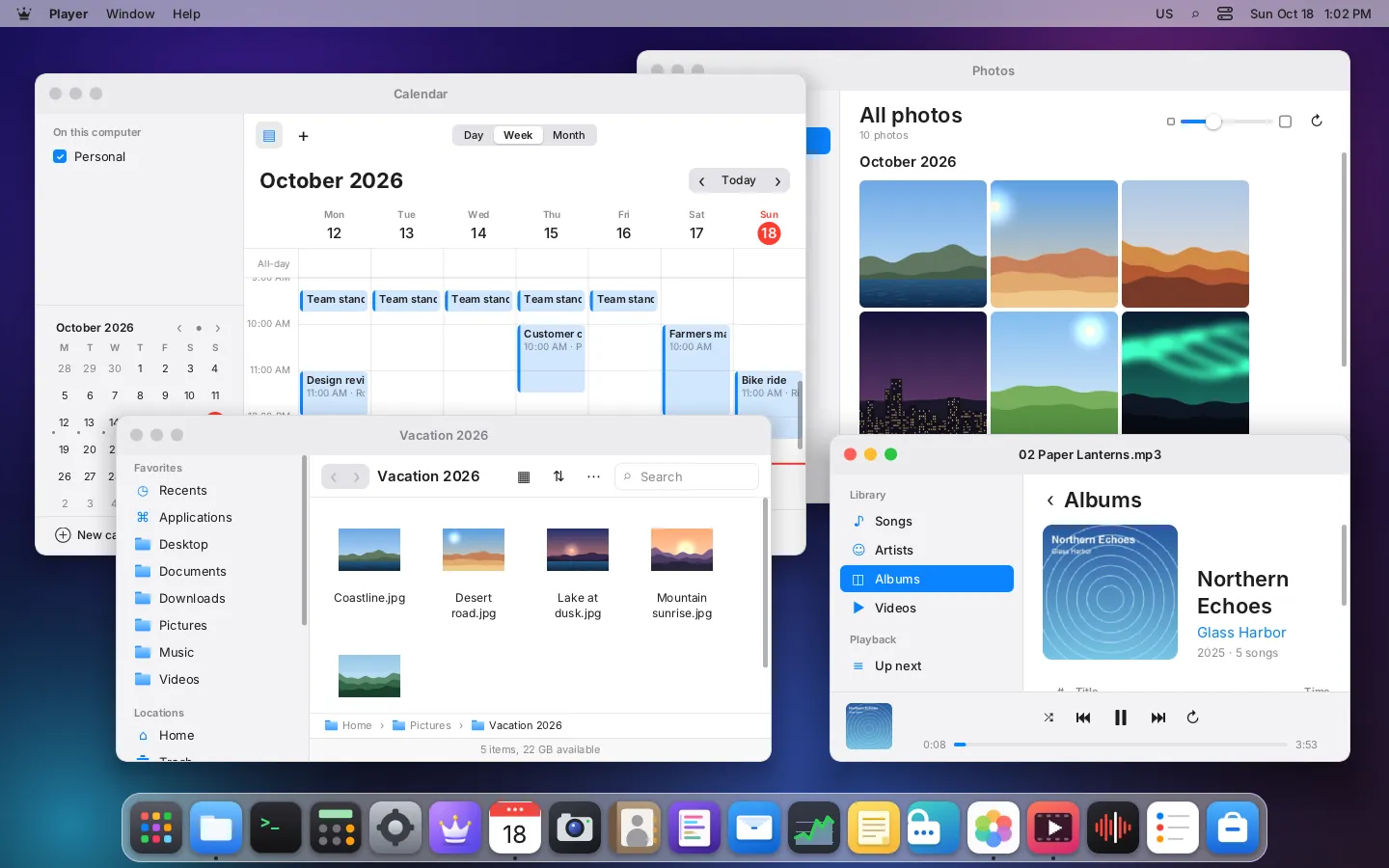
lord-server, with a native node tree, a flexbox layout engine, a 2D rasterizer and a text engine written in C. There is no web browser engine behind the interface. - The native apps: Files, Settings, Terminal, Store, Mail, Calendar, Contacts, Reminders, Passwords, Monitor, Photos, Player, PDF Viewer, Disks, Backups and the rest, all React apps on the same engine.
- The security services: the app sandbox launcher, the permission broker, the per-app permission store, the firewall service (
lord-netperm), package signing and the password vault (lord-vault). - System services such as the session manager and login screen (
lord-sessiond), the network service (lord-netd) and the fan service (lord-fand).
Reused from Debian and the free software world:
- the Linux kernel and Debian's packages (
dpkgstill unpacks and configures every package); - Mesa, for optional GPU composition;
- PipeWire, for sound;
- the Wayland protocol itself, through
libwayland-serverandlibwayland-client; libxkbcommonfor keyboard layouts;- libraries used only inside sandboxed helper processes: FFmpeg (media), Poppler and libarchive (documents), OpenSSL (TLS for mail and remote desktop), Monocypher (the vault's cryptography).
The rule the project follows is written down in docs/ARCHITECTURE.md: X11, wlroots, libdrm, libinput, WebKit, GTK and Qt are not used inside LordOS itself. GTK and Qt apps still run, as Wayland clients.
How a frame reaches the screen#
Here is what happens when you move the mouse over the Dock, step by step:
- The kernel delivers an input event through evdev.
lord-serverreads it and finds which node of the interface is under the pointer. - It calls the JavaScript event handler. React updates its state and tells the engine which nodes changed: a style, a child, a text.
- The engine recomputes the layout and works out the damaged region: only the part of the screen that really changed.
- It repaints only that region, copies it to the back buffer, draws the cursor and flips the page on the next vertical blank.
If a GPU with 3D acceleration is present, composition goes through Mesa (GBM, EGL and GLES2). If not, or if the only renderer is a software one, the CPU path does the work. The CPU path always has to keep working: it is a hard rule in the code (LORD_GPU=0 forces it), and grub's "safe mode" boot entry uses it.
From a mouse move to a new frame
- Kernelevdev eventFrom the kernelthen read
- OursHit testWhich node is under the pointerthen JS event
- OursReact updateOnly changed nodes are markedthen styles, children, text
- OursLayout and paintOnly the damaged regionthen back buffer
- KernelPage flipOn the next vblank, CPU or GPU path
Legend: KernelOurs
Where Linux apps plug in#
There are three kinds of windows on a LordOS desktop, and they connect at different layers:
- Built-in apps and the theme (menu bar, Dock, Files, Settings…) run inside
lord-server's own JavaScript context, on the UI engine. - Installed
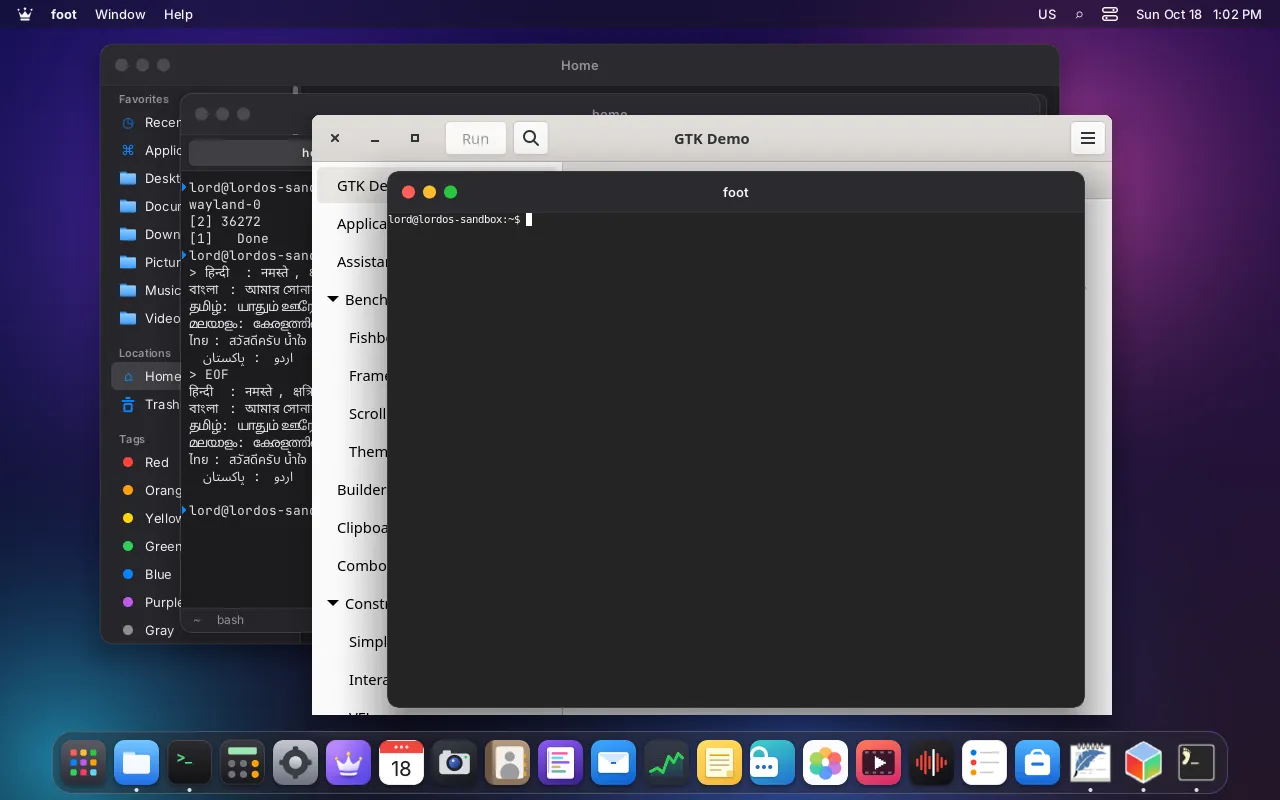
.lpkapps each run as a separate process (lord-server --app <id>, the same binary in "app mode"). That process has its own copy of the UI engine, locks itself in a sandbox and draws into a shared-memory buffer, which it hands to the compositor as an ordinary Wayland client. - Linux apps (GTK, Qt, Chromium, Firefox…) connect to the compositor's Wayland socket. They draw themselves; the theme puts its window frame around them.
So the compositor is the meeting point. The UI engine is used by LordOS's own interface and apps, not by Linux apps.
Light by design#
LordOS aims at modest machines. A few real measurements from the project's test logs:
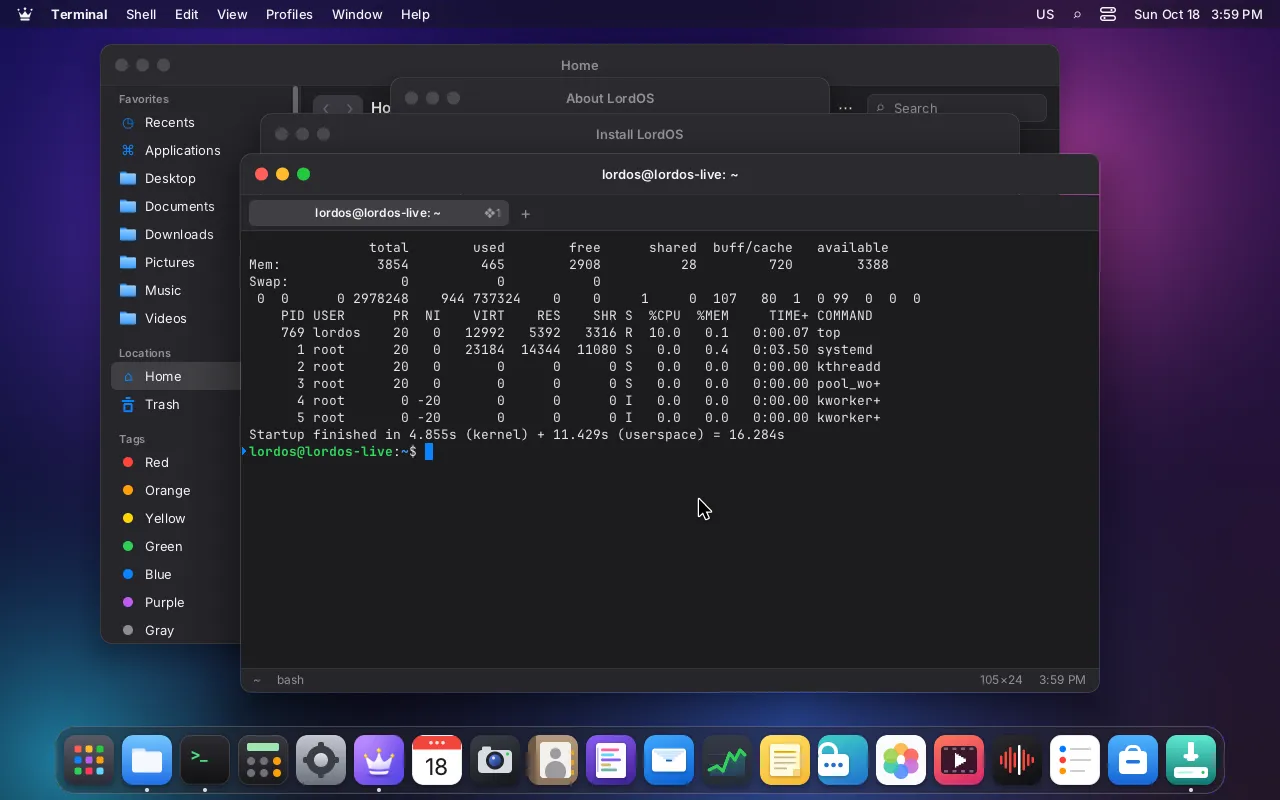
- The final test ISO, idle a minute after login on a 4 GB, 4-core VM: 465 MB of RAM used for the whole system in the live session and 487 MB on the installed system, with the CPU 99 % idle. Boot took 16.3 s (
docs/ISO.md, "Final ISO test"). - On a Raspberry Pi 5 (16 GB) at the login screen, without a monitor:
lord-serverat 36 MB RSS and 0.6 % CPU (docs/RASPBERRY.md). - When the machine has no 3D-capable card,
lord-serverdoesn't even load Mesa and stays at about 32 MB of RSS (docs/GPU.md).
These numbers come from virtual machines and one board, not from a range of real PCs. They are a starting point, not a promise for every machine.
Many displays, sharp text#
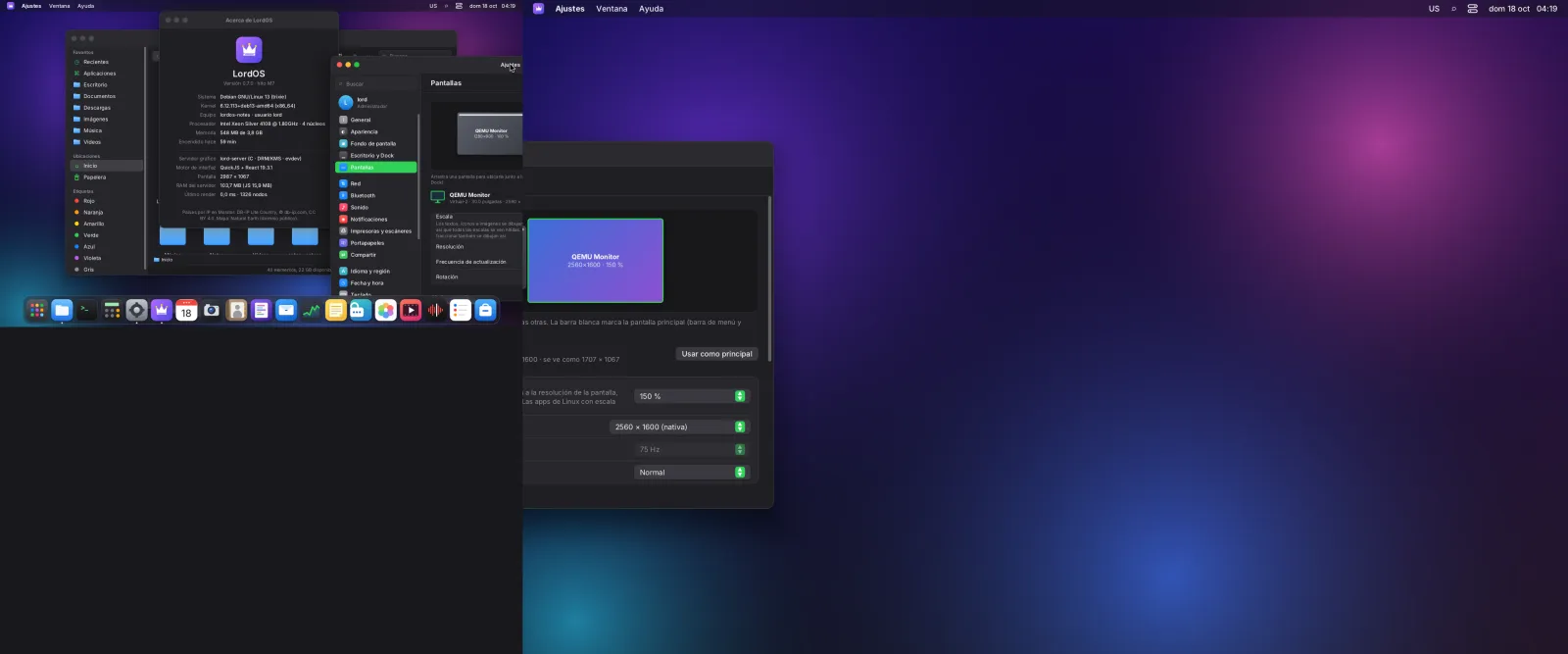
The compositor drives several displays at once, extended or mirrored, and draws each one at its own scale: 100, 125, 150, 175 or 200 %. Text, vectors and images are rasterized at each display's real resolution, so a 4K panel at 150 % next to a 1080p one at 100 % is sharp on both. Linux apps get one wl_output per display and the fractional scale protocol, so GTK 4, Qt 6 and Chromium render sharp too.
Honest limits#
- Real GPUs are not verified yet. The GPU path was exercised with Mesa's software renderer in virtual machines. Testing on real AMD and Nvidia cards is still pending (
docs/GPU.md). - Multiple displays were tested with two virtual heads, not with real monitors, laptop panels or DisplayPort hubs (
docs/DISPLAYS.md). - The Raspberry Pi 5 has not been tested with a monitor attached yet. The build, the tests and the login screen ran on a real board without HDMI (
docs/RASPBERRY.md). - Xwayland is not part of LordOS yet (it is planned before 1.0), so apps that only speak X11 don't run. Drag and drop between Linux apps, the primary selection and LordOS input methods inside Linux apps are pending (
docs/WAYLAND.md). - Accessibility is mostly ahead of us: today there is a "reduce motion" setting; a screen reader, zoom and high contrast are on the roadmap.